
Password Mangement
How to change your password
To change your password in Relab:
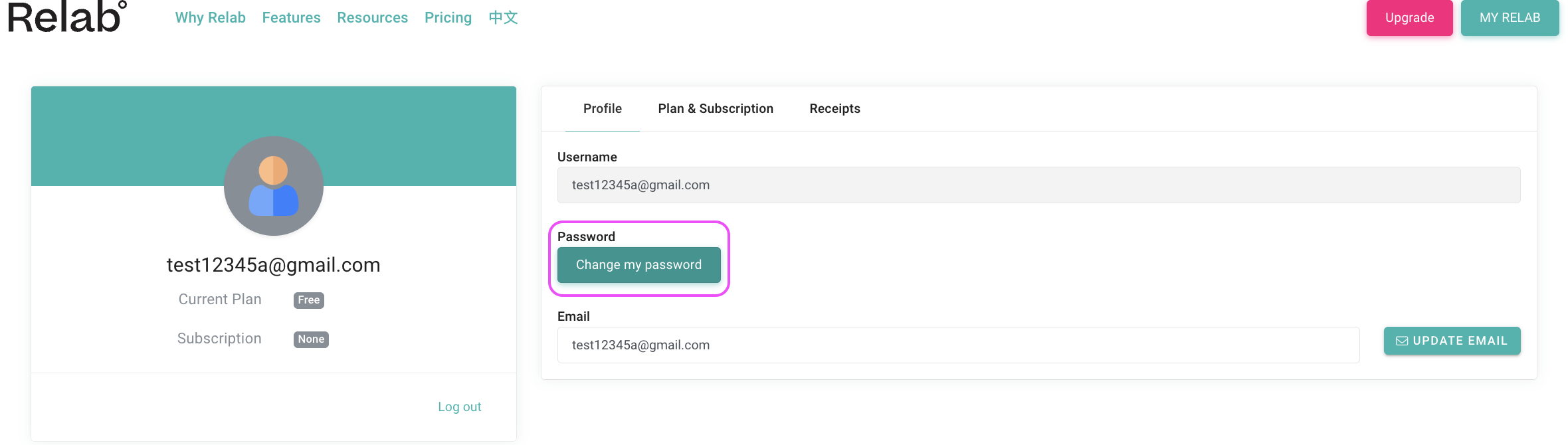
- Click on My Relab in the upper right corner of your screen
- Select My Account
- Click Change Password
- Enter your current password
- Enter your new password twice to confirm
- Click Save to update your password
How to reset a forgotten password
If you've forgotten your current password:
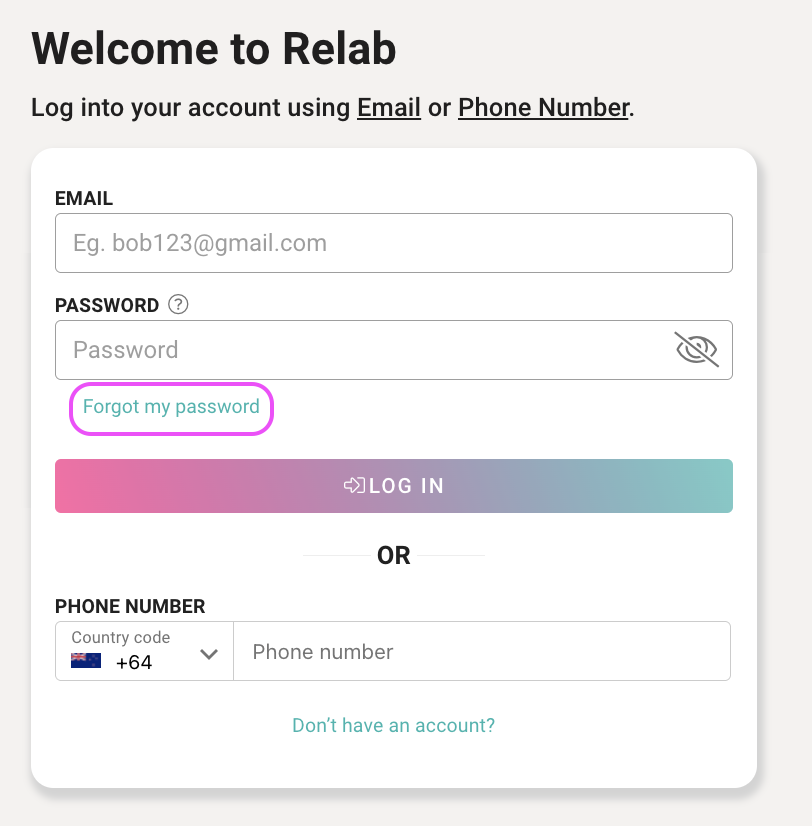
- Go to the Relab login page
- Click the Forgot Password? link below the login button
- Enter the email address associated with your Relab account
- Check your email inbox for a password reset message from Relab Support
- Click the reset link in the email
- Create and confirm your new password
- Click Submit to save your new password
You'll be automatically redirected to the login page where you can sign in with your new password.
🔥 Hot Tip
Password reset links expire after 24 hours for security reasons. If your link has expired, simply return to the login page and request a new password reset link.
Password requirements
When creating your new password, ensure it meets these requirements:
- Minimum 8 characters
- At least one uppercase letter
- At least one lowercase letter
- At least one number
FAQs
How often should I change my password?
We recommend changing your password every 90 days, or immediately if you suspect unauthorised access to your account.
What if I've forgotten which email address I used to sign up?
Try the email addresses you commonly use for work accounts. If you're still unsure, contact your account administrator who can look up the email associated with your account, or email support@relab.co.nz for assistance.
Can I reuse a previous password?
For security reasons, we recommend using a unique password each time you update your credentials rather than reusing old passwords.
What if I cannot access the email associated with my account?
If you need to update your account email address, contact your account administrator or email support@relab.co.nz. We'll verify your identity and help you update your email address so you can regain access.
I changed my password but I'm still having login issues
If you're experiencing login problems after changing your password, see our Troubleshooting Login Issues article for solutions to common problems including error messages, account lockouts, and device limits.
Still having trouble? Contact your account administrator or email support@relab.co.nz